Convert WAV into editable MIDI in your browser
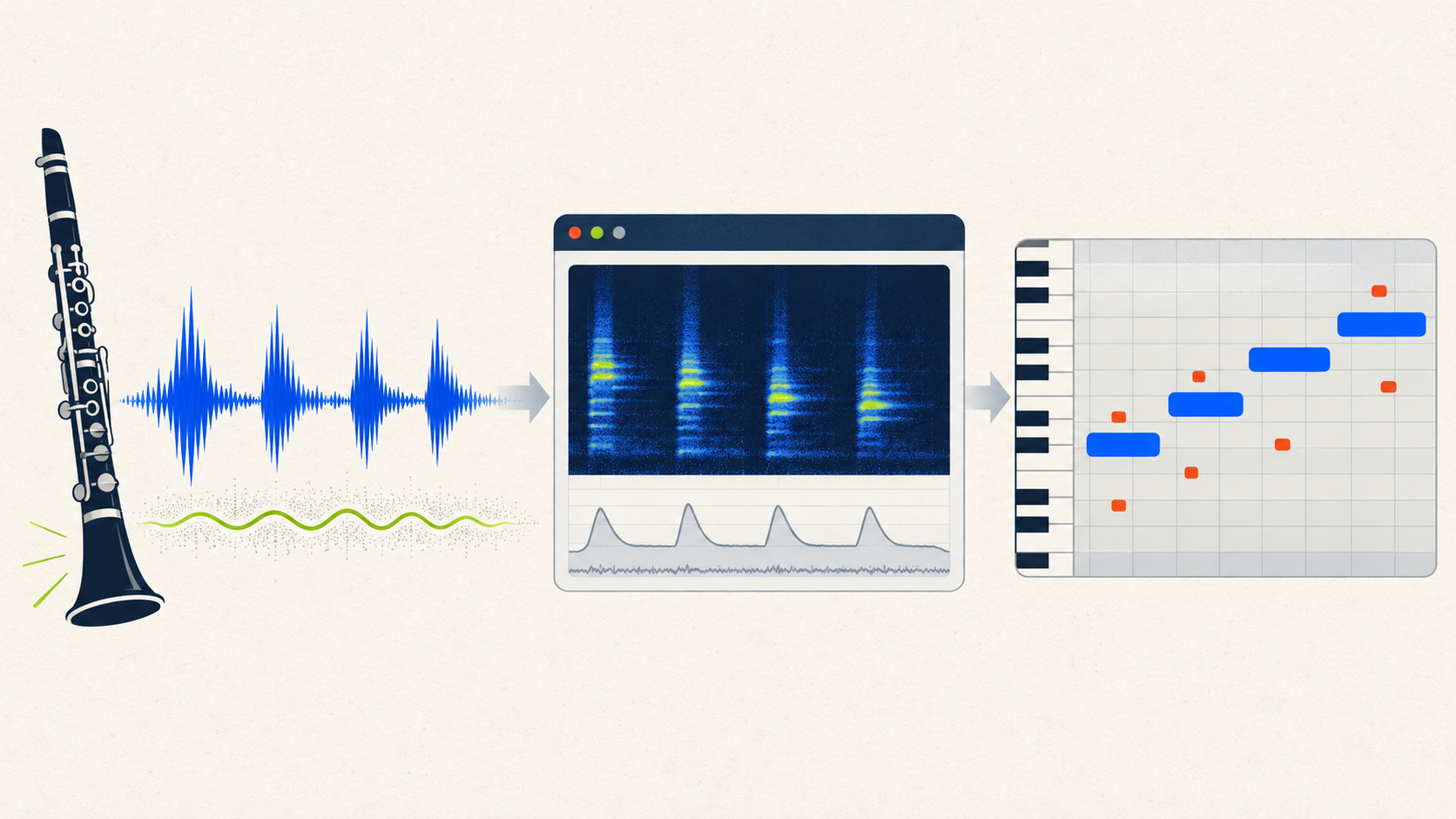
Choose a WAV in Miditap and the browser will decode its audio, estimate note events, and create a standard MIDI file. In our controlled test, all four intended notes were found—but hum and harmonics also produced six unwanted short notes, so the download still needed cleanup.
How to convert WAV to MIDI
- Open the WAV to MIDI converter and select one WAV file.
- Wait while this browser tab decodes the waveform and estimates pitch, start, duration, and velocity.
- Download the
.midfile, open it in a DAW, and check for missing notes, octave errors, and short fragments.
A WAV stores sampled audio, while MIDI stores performance instructions. The process is transcription, not a lossless file-format swap. An uncompressed source preserves the waveform, but it also preserves hum, room noise, breaths, and harmonics that can trigger false pitches.
Our WAV to MIDI converter test
We generated a new 6.3-second mono, 16-bit PCM WAV at 48 kHz. The source was a synthetic clarinet-like phrase with intended notes D4, F4, A4, and C5. Unlike the earlier MP3 and M4A/FLAC fixtures, this input included a 60 Hz hum plus deterministic white noise. We submitted the WAV to the current Miditap build, downloaded its MIDI, and parsed every event with @tonejs/midi.
All four appeared at starts close to the fixture schedule.
A♯1 twice, F♯6, A6, and C♯7 twice.
| event | pitch | start | duration | assessment |
|---|---|---|---|---|
| Main | D4 | 0.453s | 1.045s | Intended |
| Fragment | A♯1 | 0.754s | 0.348s | Not in fixture |
| Fragment | F♯6 | 1.103s | 0.116s | Not in fixture |
| Main | F4 | 1.846s | 0.930s | Intended |
| Fragment | A6 | 2.160s | 0.255s | Not in fixture |
| Main | A4 | 3.205s | 1.163s | Intended |
| Fragment | C♯7 | 3.392s | 0.267s | Not in fixture |
| Fragment | A♯1 | 3.751s | 0.245s | Not in fixture |
| Fragment | C♯7 | 3.879s | 0.141s | Not in fixture |
| Main | C5 | 4.774s | 0.859s | Intended |
These are measured events from one fixture, not an accuracy rate for arbitrary WAV files. The result proves that this build decoded the file and found the intended sequence; it also shows why “the MIDI downloaded” is not the same as “the MIDI is clean.”
What a WAV to MIDI file converter can get wrong
False notes can appear far below or above the musical line. In this test the unwanted events included low A♯1 fragments and high F♯6, A6, and C♯7 fragments. Their short durations and absence from the known fixture make them straightforward cleanup candidates. On a real recording, compare the piano roll with the audio before deleting anything.
Start cleanup with isolated fragments outside the expected register. Then check octave shifts, overlapping duplicates, onset timing, and note length. A low hum can create a stable background component, while a clarinet-like waveform contains odd harmonics that may be interpreted as additional pitches. Those are plausible mechanisms; the event list alone does not prove which component caused each individual false note.
WAV to MIDI questions
Can I use this as a WAV to MIDI file converter?
Yes. The output is a standard .mid file containing detected note events. It does not contain the original WAV sound.
Does convert WAV file to MIDI mean the audio is preserved?
No. Converting WAV into MIDI estimates notes from the audio. Instrument tone, speech, effects, ambience, and the original waveform are not stored in the MIDI.
Why did convert WAV to MIDI create extra notes?
Noise, hum, harmonics, reverb, overlapping instruments, and soft attacks can all compete with the intended pitch. This page’s controlled input found every intended note but also produced six short events that were absent from the fixture.
Should I remove noise before using a WAV to MIDI converter?
Use a short representative excerpt first. If the piano roll shows fragments unrelated to the melody, compare a carefully cleaned copy with the original while keeping level and trim points consistent. Do not assume cleanup always improves transcription; verify the MIDI events.
Reproduce this WAV test
- Generator:
content-ops/experiments/generate-wav-to-midi-fixture.mjs - Input:
test-fixtures/wav-to-midi-2026-10-31/clarinet-phrase-hum.wav - Raw result:
content-ops/experiments/wav-to-midi-2026-10-31-results.json - MIDI output:
test-output/wav-to-midi-2026-10-31/clarinet-phrase-hum.mid