AI MP3 to MIDI conversion in your browser
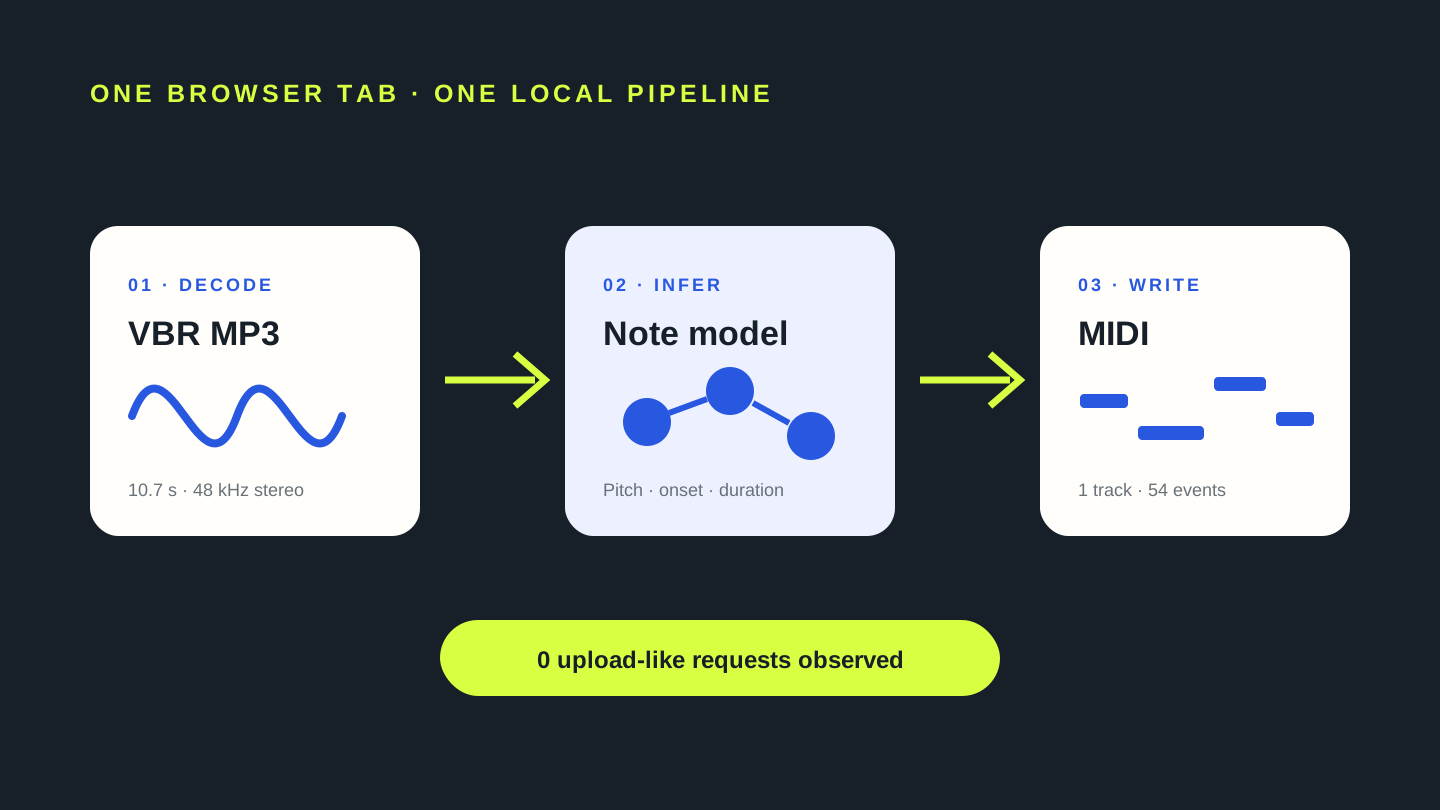
Choose one MP3 above. A bundled note model analyzes the decoded sound in this tab and writes estimated pitch, onset, duration, and velocity events to a MIDI file. In our controlled VBR MP3 test, all six scheduled pitch centers appeared, but vibrato split the phrase into 54 MIDI events across 13 pitch names.
What “AI MP3 to MIDI” means here
An MP3 contains sampled sound, not a hidden list of notes. The model must infer note events from the waveform. It estimates where a pitch starts, how long it lasts, and how strongly it is played, then the page writes those estimates into a standard MIDI track. That is transcription, not a lossless file conversion.
The model does not preserve the muted-trumpet-like tone, compression artifacts, room texture, or the original waveform. The MIDI is an editable draft. A stable isolated note can still become several neighboring events when vibrato, harmonics, and amplitude changes cross the detector’s pitch boundaries.
Our AI MP3-to-MIDI test
We generated a new 10.7-second stereo fixture at 48 kHz and encoded it as MPEG-1 Layer III using VBR joint stereo. The source was a synthetic muted-trumpet-like monophonic phrase with vibrato. Its six scheduled pitch centers were D4, F4, A4, C5, B4, and G4. The noise condition was three short deterministic air-noise bursts placed between notes, with no steady hiss or hum.
We selected that MP3 in the current build, downloaded the result, and parsed the file with @tonejs/midi. The MIDI was 534 bytes with one track and 54 note events. Every scheduled pitch name appeared. The complete result spanned C♯4 through C♯5 and contained 13 distinct pitch names, showing that finding the target pitch centers did not preserve six clean sustained note boundaries.
48 kHz joint stereo, new muted-trumpet-like phrase.
D4 · F4 · A4 · C5 · B4 · G4
One 534-byte track across 13 pitch names.
Two same-origin model GETs appeared after file selection.
| scheduled center | scheduled start | first matching event | first duration | observed boundary |
|---|---|---|---|---|
| D4 | 0.550s | 0.546s | 0.267s | Later D4 and neighboring C♯4/D♯4 fragments followed |
| F4 | 2.050s | 2.045s | 0.255s | F4 split, then E4/F♯4 neighbors appeared |
| A4 | 3.420s | 3.426s | 0.185s | A4 split, then G♯4/A♯4 neighbors appeared |
| C5 | 5.080s | 5.088s | 0.255s | C5 repeated with B4/C♯5 neighbors |
| B4 | 6.480s | 6.482s | 0.255s | B4 split with A♯4/C5 neighbors |
| G4 | 7.780s | 7.782s | 0.256s | G4 split with F♯4/G♯4 neighbors |
The onset differences above are calculated from the fixture schedule and the first event with the same pitch name. This single synthetic test does not establish a general accuracy rate, and it does not assign one exclusive cause to each neighboring event.
Local network observation
The test runner began recording browser requests immediately before selecting the MP3. Two requests occurred: GET /model/model.json and GET /model/group1-shard1of1.bin, both from the same local preview origin. The observed list contained no POST request, external destination, or request carrying the selected file.
This observation documents one Chrome run against this build. It is not a promise about unrelated converters, extensions, browsers, or future builds. The repeatable check is to record requests around file selection and conversion, then inspect method, destination, and payload rather than relying only on a privacy label.
AI MP3 to MIDI questions
Does AI make MP3-to-MIDI exact?
No. The model estimates note events from audio. In this test it found all six scheduled pitch centers but divided the phrase into 54 events.
Why did one note become several MIDI notes?
The source intentionally used vibrato and a harmonic-rich waveform. Neighboring semitone fragments appeared around every scheduled center. The event list shows the fragmentation, but it cannot identify one exclusive cause for each fragment.
Can I edit the result?
Yes. Download the standard .mid file and open it in a DAW or MIDI editor. Compare it with the source before merging fragments or deleting neighbors.
Was the MP3 uploaded in this test?
No upload-like request was observed after selection. The browser requested two same-origin model assets and created the MIDI locally.
What recording should I try first?
Use a short excerpt with one clear pitched instrument and little reverb or background noise. Treat the first output as a diagnostic sample before processing a longer recording.
Reproduce the AI MP3 test
- Generator:
content-ops/experiments/generate-ai-mp3-to-midi-fixture.mjs - Input:
test-fixtures/ai-mp3-to-midi-2026-11-05/muted-trumpet-air-bursts-vbr.mp3 - Browser runner:
content-ops/experiments/test-ai-mp3-to-midi-2026-11-05.mjs - Raw result:
content-ops/experiments/ai-mp3-to-midi-2026-11-05-results.json - MIDI output:
test-output/ai-mp3-to-midi-2026-11-05/muted-trumpet-air-bursts-vbr.mid