Convert the audio in an MP4 video to MIDI
Choose an MP4 in the Miditap converter. The browser decodes the video file’s audio track, estimates pitched note events, and creates a standard MIDI file. The pictures are ignored. In our controlled MP4 test, every intended note appeared, along with one high harmonic detection for each note.
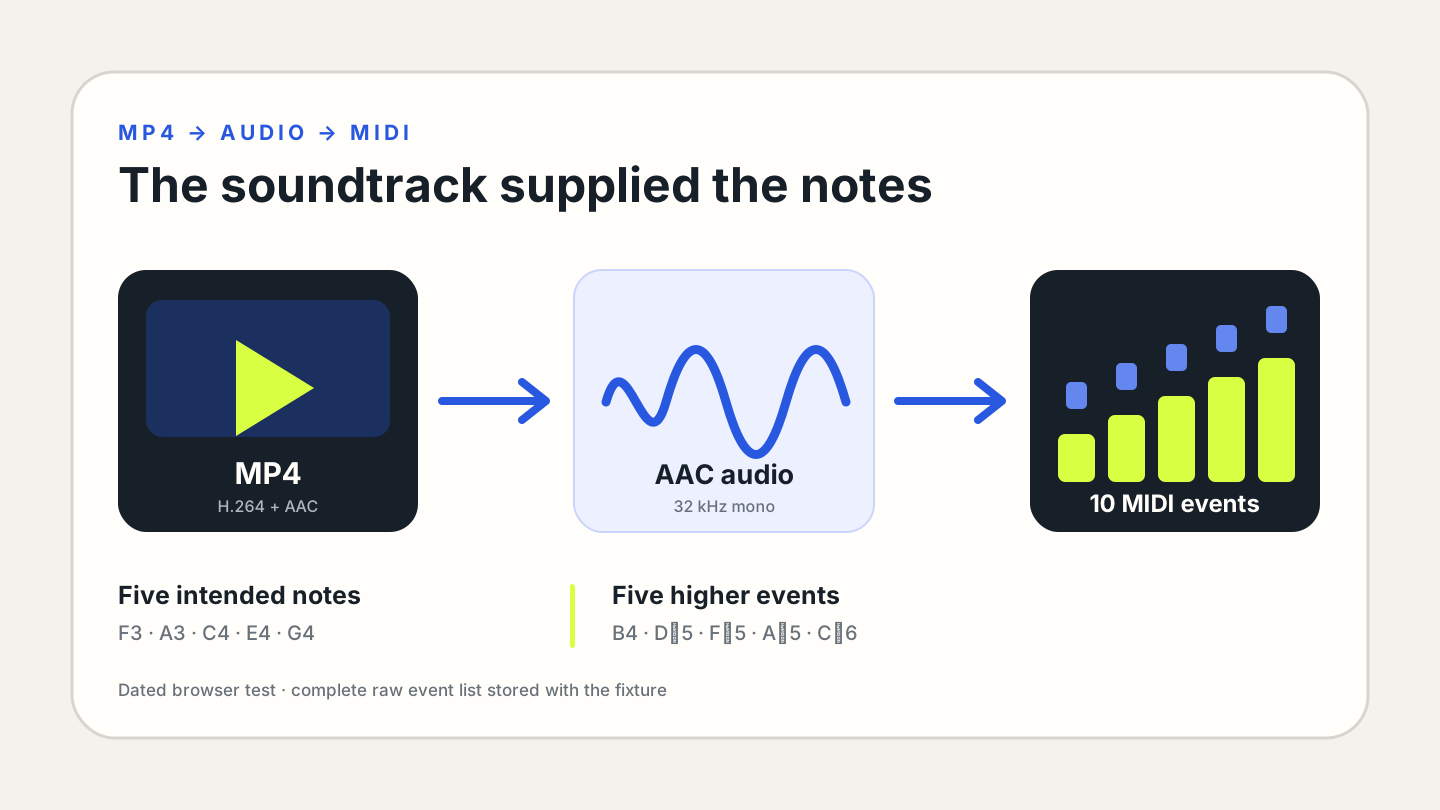
How an MP4 to MIDI converter works
The browser opens the MP4 and reads its audio stream.
The local note model estimates pitch, onset, duration, and velocity.
The detected events become a downloadable .mid file.
A video to MIDI converter does not analyze motion, hands, keys, or images. It listens to the soundtrack. A silent MP4 has no pitched audio to transcribe, while a video with speech, drums, crowd noise, or a dense mix may not produce useful note events. MIDI stores detected instructions rather than the original sound or frames.
Our MP4-to-MIDI test
We generated a new 9.2-second MP4 containing H.264 video and a mono AAC soundtrack at 32 kHz and 96 kbps. The soundtrack was a synthetic marimba-like phrase with intended notes F3, A3, C4, E4, and G4. Its noise condition was low-level deterministic room noise plus five isolated 32 millisecond camera-click transients; unlike earlier fixtures, it contained no steady hum.
We selected the MP4 in the current Miditap build, downloaded the generated MIDI, and parsed every event with @tonejs/midi. The output was a 176-byte Standard MIDI file containing ten events. All five intended pitch names appeared near their scheduled starts. Each target also produced one higher note—B4, D♯5, F♯5, A♯5, or C♯6—near the same onset.
H.264 picture stream with mono 32 kHz AAC audio.
Every target pitch appeared in the MIDI.
Five targets plus five high harmonic detections.
| event | pitch | start | duration | assessment |
|---|---|---|---|---|
| Main | F3 | 0.592s | 0.848s | Intended target |
| Harmonic | B4 | 0.697s | 0.174s | Not in fixture note list |
| Main | A3 | 2.196s | 0.882s | Intended target |
| Harmonic | D♯5 | 2.277s | 0.104s | Not in fixture note list |
| Main | C4 | 3.809s | 0.651s | Intended target |
| Harmonic | F♯5 | 3.925s | 0.106s | Not in fixture note list |
| Main | E4 | 5.412s | 0.756s | Intended target |
| Harmonic | A♯5 | 5.505s | 0.174s | Not in fixture note list |
| Main | G4 | 7.004s | 0.731s | Intended target |
| Harmonic | C♯6 | 7.051s | 0.174s | Not in fixture note list |
The paired higher notes are labeled “harmonic” because they begin near each marimba-like target and were absent from the known note schedule. That timing is evidence of a relationship, but this single output cannot isolate whether AAC compression, the synthetic overtones, the detector, or their interaction caused each event.
What the video wrapper changes—and what it does not
The model receives decoded audio, not the MP4 file’s pixels. Container support therefore depends on whether the current browser can decode the audio codec inside the video. Two files with the same .mp4 extension can carry different audio configurations, so an accepted extension is not a guarantee that every MP4 will open.
In this fixture, the AAC soundtrack decoded successfully and the output preserved the intended pitch order. The five camera-click transients did not appear as labeled pitched events in the downloaded MIDI. That observation applies only to these clicks at these levels; it does not prove that percussion or transient noise is always ignored.
Video to MIDI converter questions
Can I convert MP4 to MIDI without extracting MP3 first?
Yes. Miditap asks the browser to decode the MP4’s audio track directly, so this workflow does not require a separate MP3 file.
Does the converter read notes from the video image?
No. It transcribes the soundtrack. A recording of piano keys with no audible music does not provide note audio for this converter.
Why did the video to MIDI converter add high notes?
The controlled marimba-like soundtrack produced five intended notes and five short higher events near the same onsets. The known fixture shows those extra events were not scheduled notes, but it does not identify one exclusive cause.
Can a video with several instruments become separate MIDI tracks?
This page creates one detected-note track. Mixed instruments, speech, effects, and percussion share the same soundtrack, so treat a full-video result as a draft rather than separated parts.
Is the MP4 uploaded?
Miditap reads and decodes the selected file in the browser tab. The local workflow used for this test did not require an upload endpoint.
Reproduce this MP4 test
- Generator:
content-ops/experiments/generate-mp4-to-midi-fixture.mjs - Input:
test-fixtures/mp4-to-midi-2026-11-03/mallet-phrase-camera-clicks.mp4 - Browser runner:
content-ops/experiments/test-mp4-to-midi-2026-11-03.mjs - Raw result:
content-ops/experiments/mp4-to-midi-2026-11-03-results.json - MIDI output:
test-output/mp4-to-midi-2026-11-03/mallet-phrase-camera-clicks.mid